MagicalChess Documentation
Complete guide to setup and use your magical chess board
🎬 Example Usage
Watch this quick 1-minute video to see how MagicalChess works in action:
This video demonstrates the complete workflow from board setup to getting real-time piece detection and move announcements.
🔐 Getting Started
1. Access the Website
2. Login
When you first visit the website, you'll be asked for your username and access code:
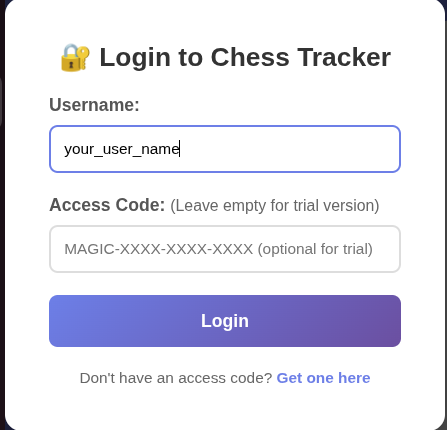
- Username: Your Etsy username used during purchase (or custom username if specified during purchase)
- Access Code: Leave this empty during your trial period
📷 Camera Setup
1. Prepare Your Board
Open an empty chessboard - don't place the pieces yet. This helps with initial board detection.
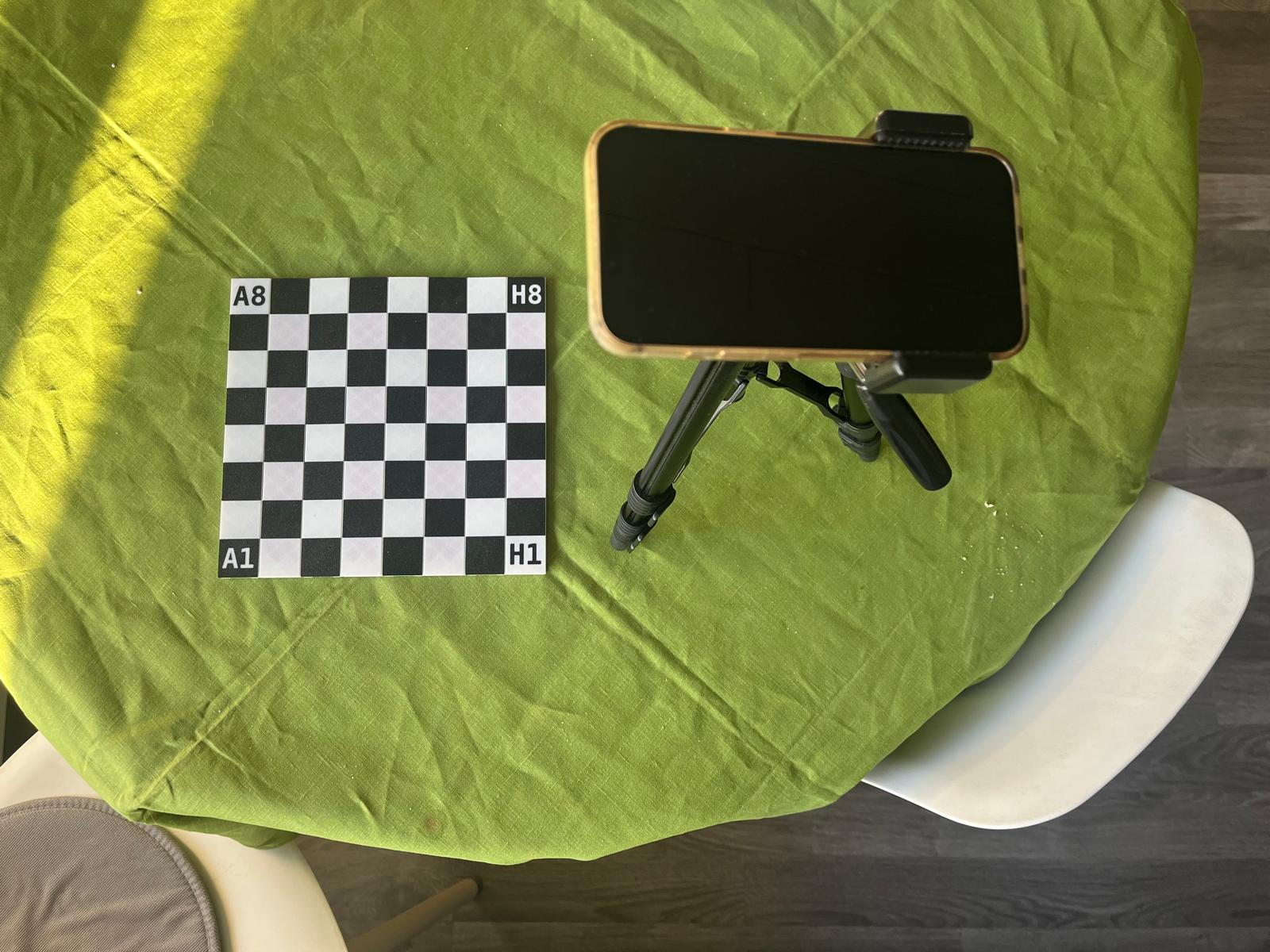
2. Position Your Tripod
For best results:
- Set the tripod at roughly 90 degrees to the board (any side is acceptable - the system is smart to detect the direction by looking at the texts in board corners: A1, H8, H1, A8)
- Use a reasonable height (not too high, not too low)
- Ensure the camera has a clear, unobstructed view
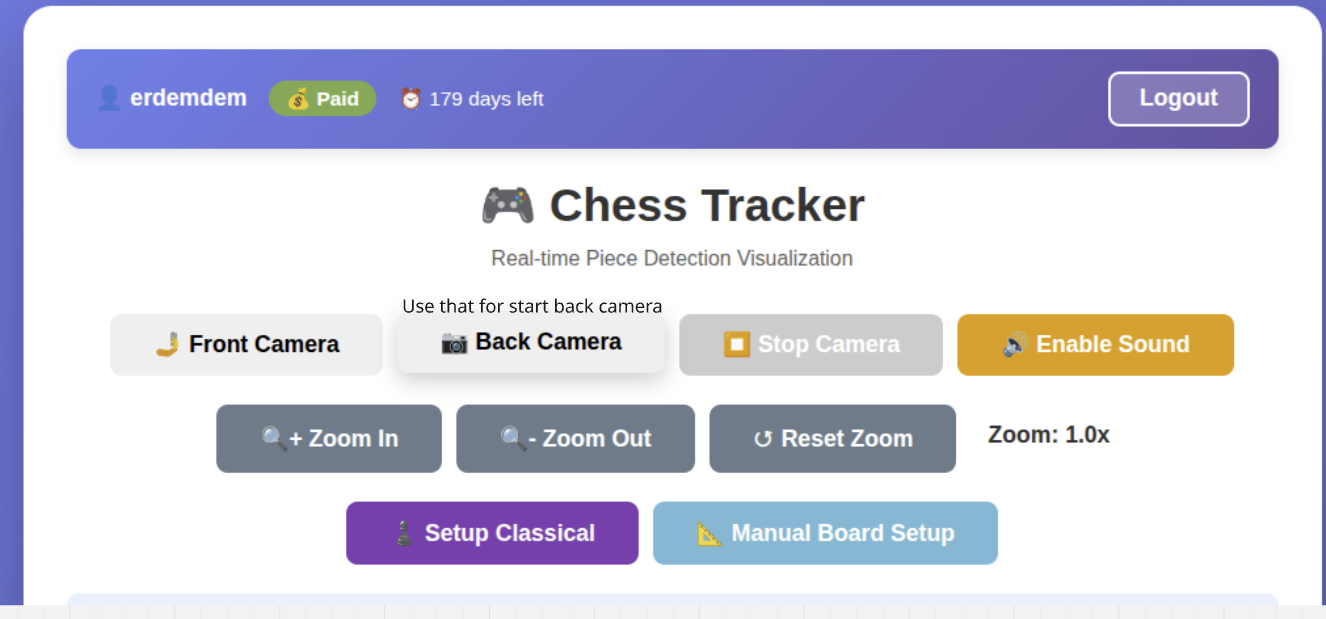
3. Start the Camera
Press the "Start Camera" button to begin tracking.
4. Adjust Zoom
Set the zoom level so that:
- The board is as focused as possible
- All four corners of the board are clearly visible
- The board fills most of the frame without cutting off corners
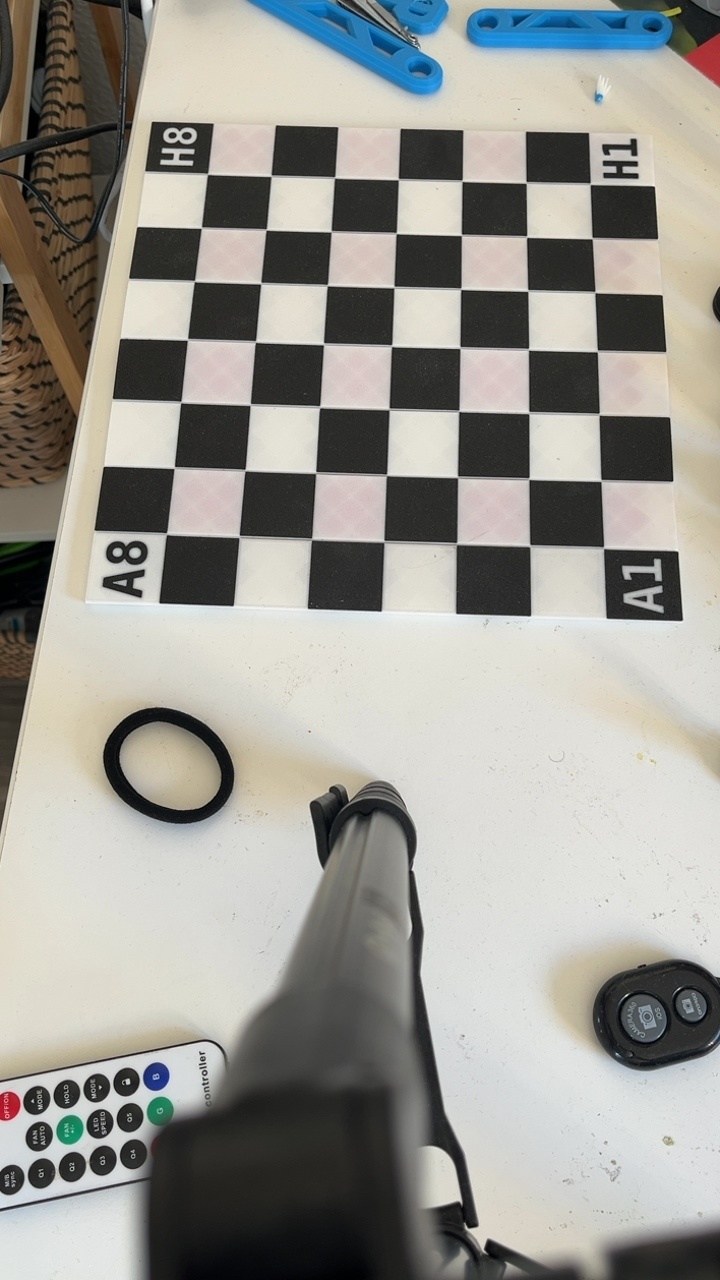
✅ Correct vs Incorrect Positioning
❌ Incorrect Position
Corners cut off or board too far away
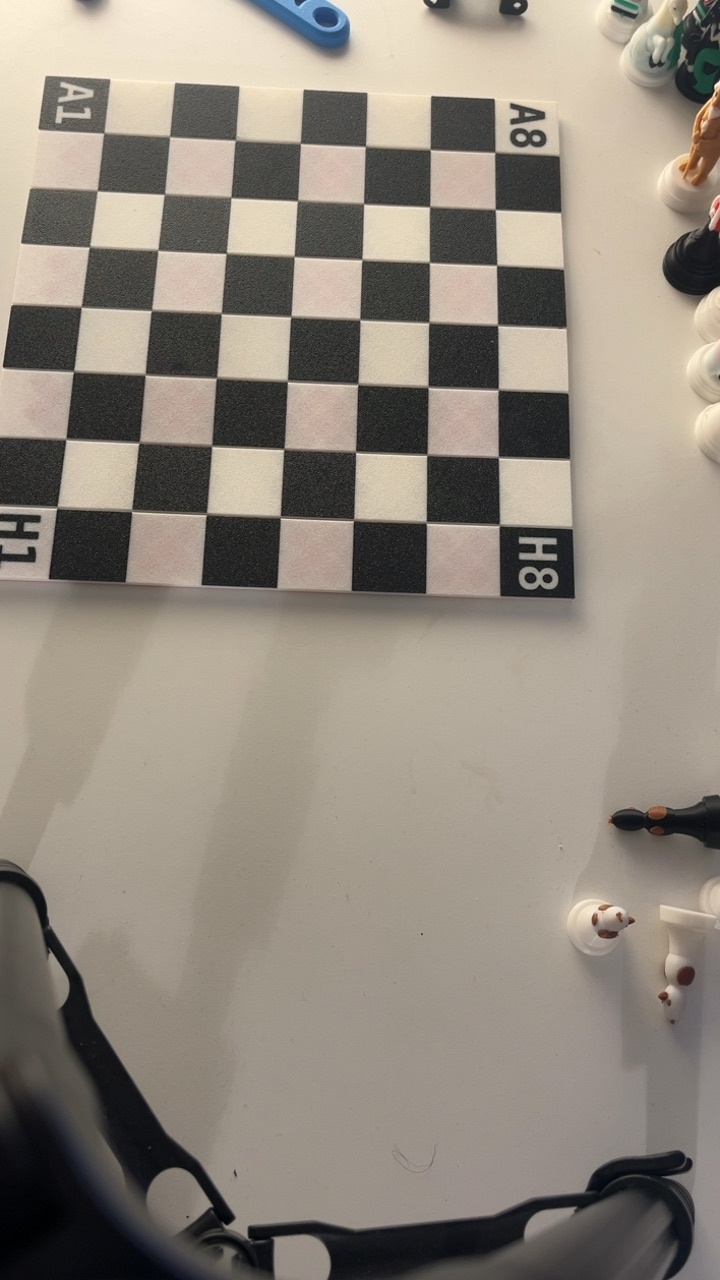
✅ Correct Position
All corners visible, board well-framed
🎯 Board Detection
Automatic Detection
Once you have the camera positioned correctly:
- Stop the camera
- Press the camera button again to restart
- Wait a few seconds for automatic board detection
- Once detected, try not to move the board
Behind the Scenes
The backend uses computer vision to map the coordinates. Here's how the board is being seen by our system:
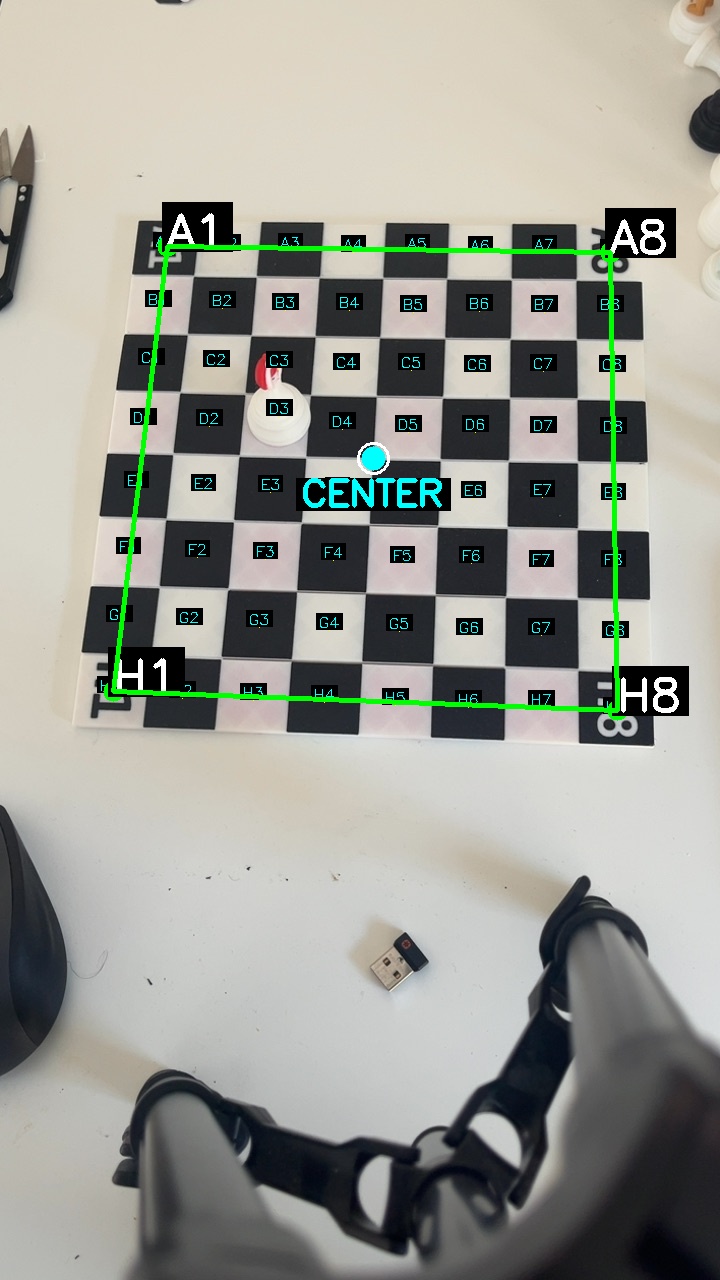
Backend view: Computer vision mapping the chessboard coordinates
Manual Board Setup
To manually set board corners:
- Look for the manual board setup option
- Click on the center of square A1 (bottom-left corner from white's perspective)
- Click on the center of square A8 (top-left corner)
- Click on the center of square H1 (bottom-right corner)
- Click on the center of square H8 (top-right corner)
- Confirm the selection to complete manual setup
♟️ Playing Chess
After setup is complete, you can start playing:
- Place any piece on the board
- Make moves as you normally would
- The system will track each piece and announce moves
Voice Announcements
Each piece has its own unique voice! When you move a piece, you'll hear:
- The piece type being moved
- Special sound effects for captures
- "Illegal Move" announcement (by our Snow Queen!) when a piece moves incorrectly
🎯 Improving Detection Accuracy
To help improve detection for your specific board:
- Record a short video (1-2 minutes) of your board setup
- Include various pieces in different positions
- Make sure the lighting and camera angle match your typical setup
- Send the video through our support channel or Etsy messages
This personalized training helps the AI learn your specific board, lighting conditions, and camera setup!
🔗 Share Your Game
You can share your game with friends or view it on another device!
When you start a session, you'll see a share link at the top of the page. You can copy this link and open it in another computer or device. You will see the positions of the pieces with cool and funny images!
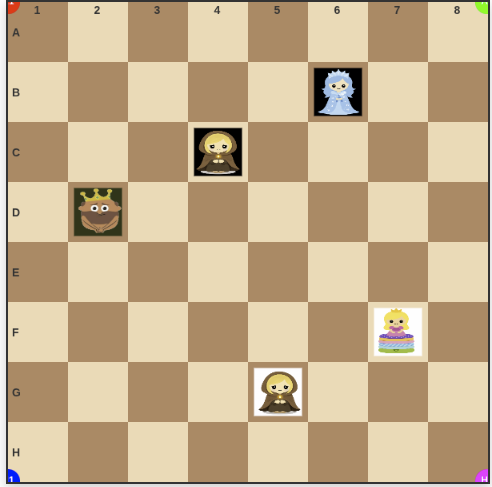
Example: How other viewers see your game with animated chess pieces
🔊 Sound Settings
Don't forget to click the "Enable Sound" button to hear the chess piece voices and move announcements!
💡 Tips for Best Results
- Keep the lighting consistent - avoid shadows on the board
- Don't move the camera or tripod once board detection is complete
- If detection fails, adjust the zoom or camera angle slightly
- Ensure all four corners of the board are always visible
❓ Need Help?
If you encounter any issues or have questions, please reach out through our Etsy store or visit our support page.